TL;DR: HRMS Globex is an employer-issued HR portal, not a commercial software product you can buy. It handles payroll, attendance, leave, and performance reviews for companies that use it. This guide covers what it actually does, how to log in without errors, and where it fits in the wider HR software market in 2026.
If you’ve been asked to “check HRMS Globex” for a payslip or a leave balance, you’re probably not looking for a software review. You just need to get in, find what you need, and get out.
That’s the reality of most HR portals. But there’s a catch with HRMS Globex: a lot of the information online is confusing. Some pages describe it as a cloud-based HR platform with pricing tiers. Others point to a single login page tied to a specific employer. Which one is it?
This guide clears that up. You’ll learn what HRMS Globex is (and isn’t), what it does for employees and HR teams, how to troubleshoot the most common login issues, and what the latest updates mean for the people who use it every day.
Quick Overview
- What it is: An employer-provided HR portal hosted at
hrms.theglobex.com. - Who uses it: Employees, managers, HR staff, and admins at organizations that have deployed it.
- Core modules: Payroll, attendance, leave, employee records, and performance management.
- Access model: Credentials are issued by your employer; there’s no public sign-up.
- Common confusion: It is not a self-serve SaaS product with public pricing.
- Latest focus: Role-based dashboards, automated attendance-to-payroll flow, and structured performance reviews.
What Is HRMS Globex, Really?
Let’s start with the definition that matters. HRMS Globex is a human resource management system (HRMS) delivered as a hosted, browser-based portal. It brings employee data, payroll, attendance, and leave tracking into one place instead of scattering them across spreadsheets and email threads.
But here’s the part most articles get wrong: HRMS Globex is not a product you can buy off the shelf. It’s an employer-issued system. Your HR or IT team provisions your account. You log in with credentials they give you. You won’t find a pricing page or a “start free trial” button because it isn’t sold that way.
Definition: HRMS Globex is an internal employee self-service portal associated with the domain
hrms.theglobex.com. It is used by organizations to manage HR operations for their own staff, not by the general public to manage HR for any company.
The confusion comes from a handful of websites that describe HRMS Globex using generic SaaS language—customizable dashboards, tiered plans, cost calculators. Those descriptions don’t match the verifiable login portal. The platform is real; the “buy it now” story is not.
Core Features of HRMS Globex
HRMS Globex is built around the tasks employees and HR teams actually do every day. The feature set is practical rather than flashy, and the modules feed into each other.
| Module | What It Does | Who Uses It Most |
|---|---|---|
| Employee Database | Stores personal details, contracts, employment history, and documents in one searchable record. | HR staff, admins |
| Attendance & Shifts | Tracks clock-in/clock-out, shift schedules, and absences; feeds data into payroll. | Employees, managers |
| Payroll Processing | Calculates salaries, deductions, and taxes automatically from attendance and leave data. | HR, payroll teams |
| Leave Management | Employees apply for leave online; balances update automatically after approval. | Employees, managers |
| Performance Management (PMS) | Runs structured, multi-stage reviews with self-assessment and manager input. | Managers, HR |
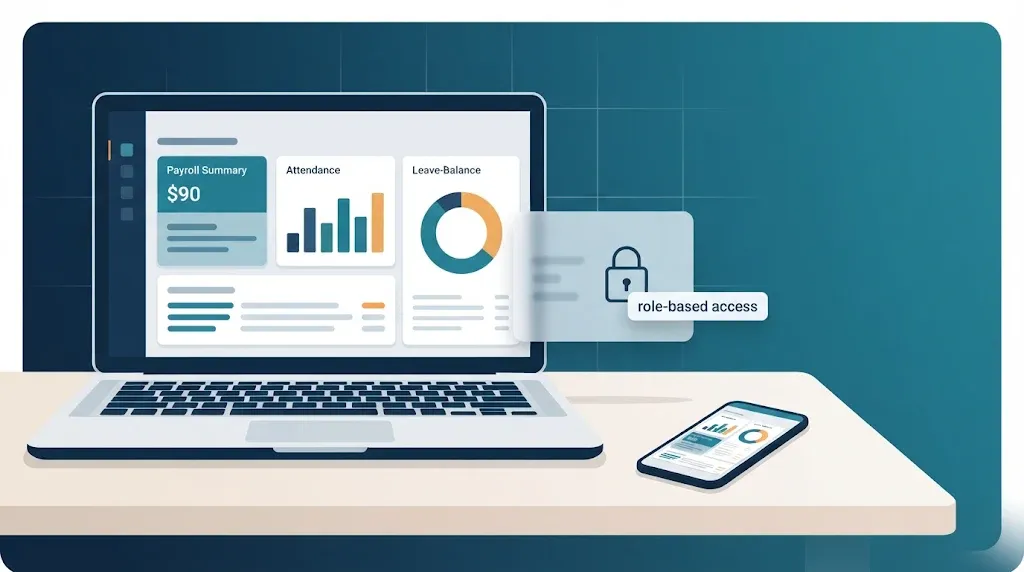
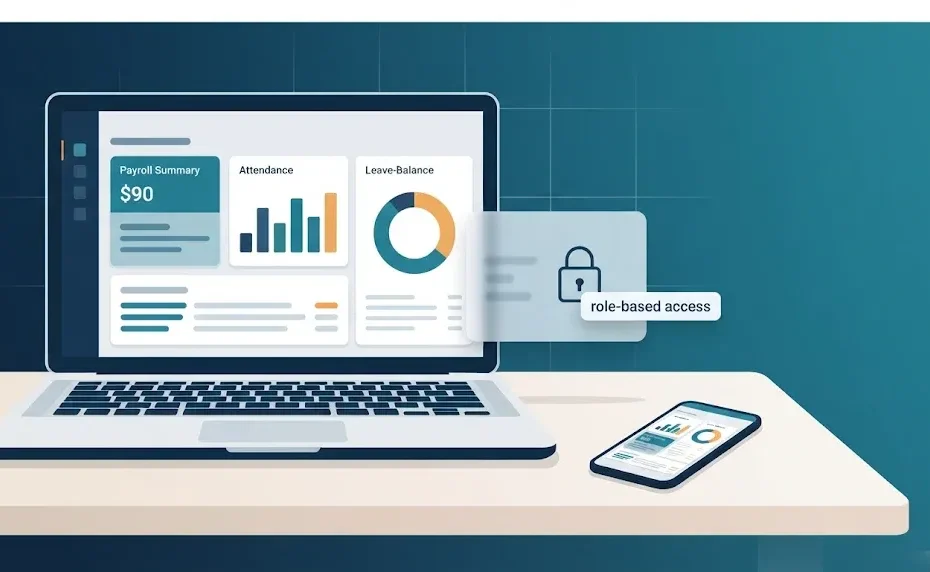
| Role-Based Dashboards | Shows each user only the data and actions relevant to their role. | All users |
The payroll and attendance link is the engine of the system. When attendance data flows directly into payroll calculations, manual spreadsheet work drops and calculation errors become less likely. That’s the core promise: fewer repetitive emails to HR, fewer “please confirm my leave balance” requests, and a single source of truth for employee records.
How to Log In and Navigate the Dashboard
Logging into HRMS Globex should take less than a minute—if you have the right credentials and you’re on the correct page. Most problems come down to small input mistakes, not system failures.
Step-by-Step Login
- Go to the official portal. Type
hrms.theglobex.comdirectly into your browser. Avoid links from emails or messages unless you’re certain they’re from your employer. - Enter your username. For most employees, this is the employee code issued by HR at onboarding.
- Enter your password. If HR gave you a temporary password, change it immediately after your first login.
- Complete the captcha. Type the characters exactly as shown. Captchas expire quickly, so enter it straight away.
- Click Login. You’ll land on a dashboard scoped to your role.
What You’ll See on the Dashboard
The dashboard is not one-size-fits-all. HRMS Globex uses role-based views, which means what you see depends on who you are.
- Employees see personal records: attendance history, leave balance, payslips, and pending approvals.
- Managers see their team’s attendance, leave requests awaiting approval, and performance review status for direct reports.
- HR staff see a workforce-wide view: headcount, pending leave, payroll cycles, and compliance flags.
- Admins control system settings, user roles, permissions, and audit logs.
This layered structure is one of the most consistently confirmed details across credible sources. It’s not a single flat login—it’s a system that shows you only what your role requires.
The Latest Updates and Changes in 2026
HRMS Globex hasn’t stood still. The platform continues to evolve, and the changes in 2026 point toward a more automated, self-service experience.
The biggest shift is the tightening of the attendance-to-payroll pipeline. Instead of payroll teams manually reconciling attendance sheets, the system now automates more of that flow. That means fewer manual calculation errors and faster payroll cycles.
Performance management has also received attention. The PMS module now supports structured, multi-stage reviews—self-assessment, manager review, and calibration—rather than relying on a single reviewer’s input. That structure is designed to reduce bias and make reviews more consistent across teams.
On the access side, role-based dashboards have become more granular. HR staff and managers can see exactly the data they need without wading through irrelevant modules. For employees, the self-service experience has improved: payslips, leave balances, and personal records are accessible without emailing HR.
These aren’t flashy AI features or headline-grabbing launches. They’re the kind of updates that make a daily-use HR portal less frustrating—which is exactly what most employees and HR teams want.
Why HRMS Globex Matters for Employees and HR Teams
HR software is often judged by how much time it saves. That’s a fair metric, but it’s not the whole story. The real value of a system like HRMS Globex is the reduction of administrative friction—the small, repetitive tasks that drain time from both employees and HR.
For employees, self-service is the headline benefit. You don’t need to wait for an email reply to know your leave balance or download a payslip. You log in, find the information, and move on.
For HR teams, the benefit is less manual data entry and fewer routine requests. That frees up time for work that actually requires human judgment: policy design, workforce planning, and employee engagement.
Research insight: According to the Society for Human Resource Management (SHRM), integrated HR systems that include self-service and automated payroll reduce administrative burden and help organizations maintain compliance with changing regulations.
That’s the practical case for any HRMS. HRMS Globex applies it to the organizations that have deployed the portal. It’s not a revolutionary claim; it’s the basic promise of a functioning HR system—and when it works, it makes a measurable difference in how much time people spend chasing basic information.
Common Login Problems and How to Fix Them
Most HRMS Globex login issues are simple to resolve once you know what’s causing them. Here’s a quick troubleshooting table based on the most common failure points.
If none of these work, the problem may be on the account-provisioning side. Only your employer’s HR or IT team can reset access that’s been disabled or never activated. That’s the downside of an employer-issued portal: you can’t troubleshoot it the way you would a consumer app.
HRMS Globex vs. Commercial HR Software
If you’re evaluating HRMS Globex as part of a broader HR tech decision, it helps to see how it compares to the commercial platforms that dominate the market.
| Dimension | HRMS Globex | Commercial HRMS (e.g., BambooHR, Zoho People) |
|---|---|---|
| Access model | Employer-issued credentials; no public sign-up | Self-serve sign-up or sales-led demo |
| Pricing | Not publicly stated; tied to employer deployment | Published tiers or “contact sales” |
| Customization | Configured by employer admins | Configurable by the customer organization |
| Core modules | Payroll, attendance, leave, records, PMS | Similar core modules, often with more third-party integrations |
| Best for | Employees of organizations that have deployed it | Organizations choosing an HR platform from scratch |
The comparison isn’t about which is “better.” They serve different purposes. HRMS Globex is a deployment, not a product line. If your employer uses it, it’s the system you work with. If you’re choosing an HRMS for your own company, you’re in the commercial market—and the evaluation criteria are different.
Implementation note: Research from the University of Rochester shows that the biggest gains from HRMS deployments come from self-service adoption and real-time data access, not from the sheer number of features a platform offers. That’s a useful benchmark for judging any HR portal, including this one.
Security and Privacy: What Employees Should Know
HRMS Globex holds sensitive data: salary details, bank information, leave records, and employment history. That makes security a legitimate concern.
The portal is browser-based and access is credential-protected. Many deployments also require a second verification step, such as an SMS code or authenticator app, when logging in. Role-based permissions limit what each user can see, so an employee can’t access payroll settings and a manager can’t access system configurations.
For employees, the practical security advice is straightforward: use a strong password, don’t share your credentials, and log out on shared devices. If you download payslips, remember that corporate PDFs are often password-protected—usually with your PAN or date of birth—so verify the file before forwarding it.
The system isn’t perfect, and no HR portal is. But the security model is standard for enterprise HR software: layered access, encrypted data, and audit trails for administrative actions.
Key Takeaways
- HRMS Globex is an employer-issued portal, not a commercial SaaS product with public pricing.
- It centralizes payroll, attendance, leave, and performance management in one login.
- The attendance-to-payroll automation is the core efficiency driver.
- Role-based dashboards mean employees, managers, HR, and admins see different views.
- Most login problems are typos, captcha errors, or stale passwords—not system failures.
- The platform’s value is administrative friction reduction, not flashy feature count.
FAQ
What is HRMS Globex used for?
HRMS Globex is used to manage employee data, payroll, attendance, leave, and performance reviews in a single portal. Employees use it for self-service tasks like downloading payslips and checking leave balances, while HR teams use it for payroll processing and workforce management.
Is HRMS Globex free?
No. HRMS Globex is not a free public tool. It’s an employer-issued portal, and access is provisioned by your organization’s HR or IT team. There’s no public pricing because it isn’t sold as a standalone product.
How do I reset my HRMS Globex password?
Click “Forgot Password?” on the login screen, enter your employee code or registered email, and follow the verification steps. If the reset doesn’t work, contact your IT or HR helpdesk—only they can unlock accounts that have been disabled.
What should I do if my HRMS Globex account is locked?
Repeated incorrect login attempts can trigger a temporary lockout. Wait for the lockout period to expire, then try again carefully. If the account remains locked, your IT or HR team will need to reset it manually.
Can I access HRMS Globex from my phone?
The portal is browser-based, so it works on mobile browsers. However, a dedicated mobile app is not publicly confirmed. Your organization’s IT team can confirm whether mobile access is supported for your specific deployment.
How is HRMS Globex different from BambooHR or Zoho People?
HRMS Globex is an employer-specific deployment, while BambooHR and Zoho People are commercial products sold to any organization. The core HR functions overlap, but the access model and purchasing process are completely different.
Conclusion
HRMS Globex isn’t trying to be the flashiest HR platform on the market. It’s trying to be the one your employer actually uses—the place where your payslip lives, your leave balance updates, and your attendance record stays accurate.
That’s a modest goal, but it’s an important one. When an HR portal works, nobody talks about it. When it doesn’t, everyone notices. The good news is that most of the friction around HRMS Globex comes down to fixable things: a mistyped employee code, an expired captcha, a password that needs resetting.
The bigger picture is that HR software—whether it’s an internal portal like this one or a commercial platform like BambooHR—is only as useful as the habits around it. Check your leave balance before the financial year resets. Download your payslips when you need them. Keep your credentials secure. The system is a tool; the discipline is yours.


Mariam Nazir is a publisher at Insight World, curating expert analysis and deep dives into global technology, business, and cultural trends.
View all articles by Mariam Nazir