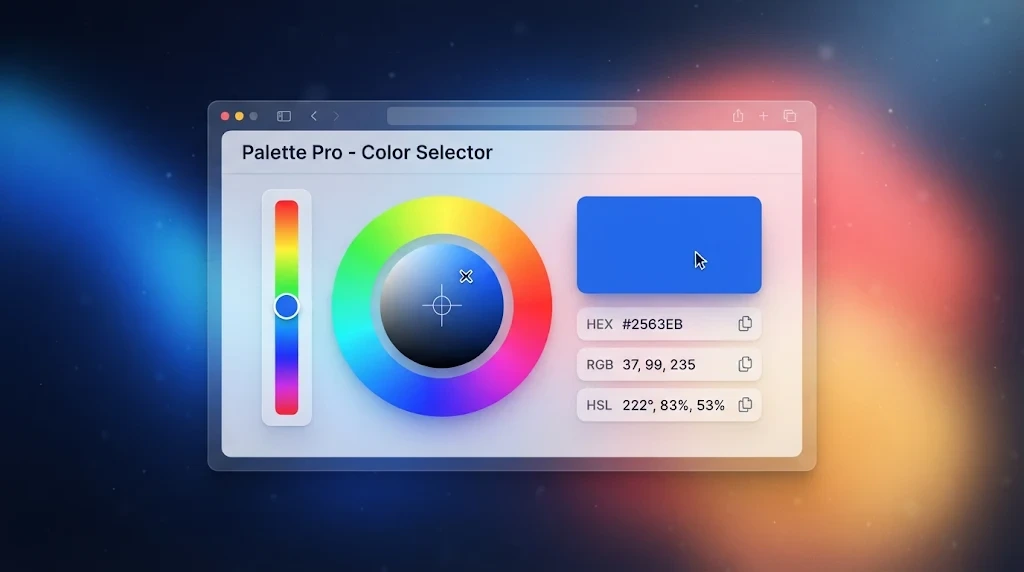
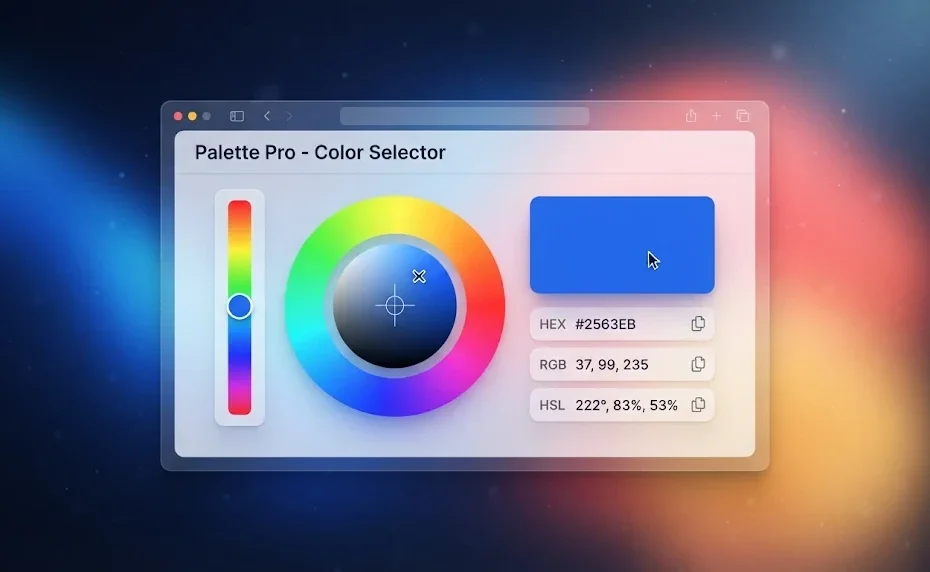
TL;DR: Fonvira is a free, browser-based colour picker that shows any shade as HEX, RGB, and HSL with a live preview and copy buttons. No account, no install. It’s built for quick colour handoffs—not full design work or formal accessibility testing.
You’ve got a brand blue in a mock-up and a stylesheet that wants RGB. Copying the numbers by hand is a two-minute detour that quietly adds up. That’s the exact moment Fonvira is designed for.
Fonvira is a small, focused online utility: pick a colour, read its matching codes, copy the one your project needs. This guide covers what it does, how to use it, which format to choose, and where its usefulness ends.
Quick Facts About Fonvira
| Detail | Information |
|---|---|
| Website | fonvira.com |
| Type | Online colour picker and converter |
| Main function | Colour selection and code conversion |
| Supported formats | HEX, RGB, HSL |
| Cost | Free |
| Registration | Not required |
| Installation | Not required |
| Devices | Desktop and mobile browsers |
| Processing | Client-side, per its published policy |
| Primary users | Designers, developers, students, site owners |
| Founder / launch date | Not publicly identified |
What Is Fonvira?
Definition: Fonvira is a browser-based colour picker and converter. You select or enter a colour, see a live preview, and copy its HEX, RGB, or HSL value without opening a design application or doing the conversion yourself.
Every colour on a screen has a technical value. A blue button, a grey background, a green heading—each one can be written in several numerical systems. Fonvira puts those systems side by side.
The tool doesn’t try to be a design suite. It solves one interruption: moving a colour from a visual reference into usable code. That narrow focus is what makes it fast.
How Does Fonvira Work? Step by Step
Using the tool takes under a minute. Here’s the full flow:
- Open the site in any modern desktop or mobile browser.
- Pick a colour visually, or paste an existing HEX code into the input field.
- Check the live preview to confirm you’ve got the shade you intended.
- Read the matching values for HEX, RGB, and HSL, displayed together.
- Click copy next to the format your project expects.
- Paste it into your stylesheet, design file, or page builder.
There’s no project setup, no account screen, and no page reload when values update. For a one-off conversion, that’s exactly enough.
HEX, RGB, and HSL: Which Format Should You Copy?
These aren’t three different colours. They’re three ways of writing the same shade. The right pick depends on what you’re doing next.
| Format | Example | Best for | Watch-out |
|---|---|---|---|
| HEX | #2563EB | CSS, brand guides, quick sharing | Doesn’t show which channel to adjust |
| RGB | rgb(37, 99, 235) | JavaScript, canvas, transparency | Longer to scan at a glance |
| HSL | hsl(222, 83%, 53%) | Lightening or darkening a shade | Rounded values can shift slightly |
A simple rule works: HEX for everyday CSS, RGB when you need an alpha channel, HSL when you’re tweaking lightness by hand.
One small note: HSL values are usually rounded to whole numbers, so converting back and forth can move a value by a hair. For normal web work, you won’t see the difference.
For reference, the MDN Web Docs guide to CSS colour values lists every syntax browsers actually support—including newer functions beyond the three formats this tool handles.
Main Features of Fonvira
Live colour preview. You see the shade before you copy anything. That visual check catches “almost right” colours early.
Three formats at once. HEX, RGB, and HSL appear together, so you don’t run a second conversion just to compare notations.
One-click copy. No selecting individual characters or retyping numbers. Copy, paste, move on.
Browser-only access. The tool runs on desktop and mobile without an installation package. Its About page describes it as usable across both.
Free, no account. The site describes the service as free with no sign-ups, paywalls, or usage limits. Its terms permit personal and commercial use of the tool and its output, subject to stated restrictions.
Clean interface. The stated design philosophy is speed and simplicity—no forced registration or pop-up walls between you and the picker.
5 Practical Ways to Get More From Fonvira
1. Build hover states with HSL. Copy the HSL value and drop lightness by five to eight points. hsl(222, 83%, 53%) becomes hsl(222, 83%, 46%) for a darker button state. The hue stays fixed, so the colour still reads as part of your brand.
2. Add transparency with RGB. Copy the RGB value and add an alpha channel. rgba(37, 99, 235, 0.5) gives you the same blue at half opacity—useful for overlays and soft backgrounds. That’s a CSS capability, not a separate opacity editor inside the tool.
3. Keep one source of truth. Save approved colours as CSS variables, like --brand-blue: #2563EB;. Every page then pulls the same value instead of five near-misses drifting across the site.
4. Soften pure black text. Pure black on white can feel harsh across long pages. A very dark grey often reads more gently. Pick it, preview it, and compare the two side by side.
5. Match colours across tools. Designers often hand over HEX; developers may prefer RGB or HSL. One screen showing all three cuts down on back-and-forth messages.
Who Gets the Most Value?
Web designers who need exact values for mock-ups and handovers.
Front-end developers who switch between notations while styling components.
Bloggers and site owners adjusting theme colours in WordPress or a page builder.
Students and beginners learning how digital colour is written in code.
Content creators keeping a consistent palette across graphics and web pages.
If you already know the exact code you need, you may not need the tool. If you’re translating between formats, it removes friction.
Check Text Contrast Before You Publish
Picking a colour is half the job. People still have to read the text sitting on top of it.
The Web Content Accessibility Guidelines set minimum contrast ratios between text and background. The W3C’s WCAG 2.2 guidelines explain the rule and why it exists, including support for readers with low vision or colour deficiencies.
| Text type | Minimum ratio (WCAG AA) |
|---|---|
| Normal text | 4.5:1 |
| Large text (about 24px, or 19px bold) | 3:1 |
Light grey text on white is the classic mistake. It looks elegant in a mock-up and disappears on a phone in bright sunlight.
Fonvira’s homepage discusses readable contrast, but its described features don’t establish a dedicated contrast-ratio tester. Use the picker to copy exact text and background values, then run them through a separate contrast checker before publishing. A matching code doesn’t prove a design is accessible.
Is Fonvira Free and Private?
Yes to free. The site describes the service as free for personal and commercial use, with no account required and no advertised paid tier for basic conversions.
Privacy is more nuanced. According to its published policy, colour values entered into the tool are processed locally in the browser and are not sent to or stored on its servers. That’s a genuine convenience—you don’t need to hand over project data to convert a shade.
But “client-side processing” doesn’t mean the site makes zero network requests. The same policy acknowledges ordinary hosting and content-delivery logs, necessary security cookies from its infrastructure, and Google Fonts requests that expose a visitor’s IP address to Google’s servers. Its contact form also uses an external form-processing service. The policy was last updated on 22 June 2026.
Read those disclosures for yourself if you’re handling sensitive project material. The descriptions here reflect the operator’s published policy, not an independent security audit.
Common Colour Mistakes Fonvira Helps You Avoid
Using too many colours. One or two accents plus neutrals usually beats a rainbow.
Copying the wrong format. Seeing all three formats side by side means you pick the one your tool actually accepts.
Eyeballing shades from a screenshot. Guessing produces small mismatches. Use the exact value.
Skipping the contrast check. Beautiful but unreadable text loses visitors.
Fonvira vs. Converting by Hand
| Task | By hand | With Fonvira |
|---|---|---|
| HEX to RGB | Do the math or find a calculator | Instant on screen |
| Seeing the result | Switch to another app | Live preview |
| Copying the value | Type it out and risk typos | One click |
| Setup | Varies | Nothing to install |
What Fonvira Is Not
The tool’s narrow scope is a feature, but it’s worth naming the limits.
It is not a replacement for professional graphic design software. It doesn’t advertise image colour extraction, automated palette generation, shared team libraries, built-in contrast-ratio measurement, or advanced wide-gamut formats like OKLCH and Lab.
There’s no confirmed dedicated mobile app—it works through mobile browsers, but a separate app isn’t documented.
Service availability isn’t guaranteed. Its terms describe the tool as provided “as available,” without a promise of uninterrupted or error-free operation.
Formal accessibility testing still needs separate tools and, ideally, testing with real users and real devices.
Latest Updates and Current Status in 2026
As of late 2026, Fonvira’s publicly visible site continues to present itself as a free browser-based colour picker and converter. The homepage highlights colour selection, HEX input, RGB and HSL output, live preview, copy controls, and no-account access.
The site displays a 2026 copyright notice, and its privacy policy and terms carry a 22 June 2026 update date. There’s no clearly documented public changelog, confirmed launch date, or detailed future roadmap.
So the most accurate description of its current state is this: a publicly available, free colour-selection and conversion utility focused on simplicity and browser-based operation. No major new capability has been announced beyond that core function.
How to Check Any Online Tool Before You Trust It
Free web utilities deserve a quick credibility scan. Look for an About page, a privacy policy, terms, and a way to contact the owner. Fonvira lists About, Contact, Privacy, Terms, and Disclaimer pages in its footer—a healthy sign of transparency.
If a tool won’t tell you who runs it or how it handles data, treat that as a signal to be cautious.
Key Takeaways
- Fonvira converts one colour into HEX, RGB, and HSL in the browser, free and without registration.
- It’s a handoff tool, not a design suite—great for quick conversions, not full creative work.
- HEX for CSS, RGB for transparency, HSL for shade tweaks is a reliable default.
- A correct colour code does not guarantee accessible contrast; WCAG ratios need a separate check.
- Client-side processing reduces server-side handling, but the site still involves ordinary infrastructure and third-party requests.
FAQ
What is Fonvira used for?
Fonvira is used to pick a colour and get its HEX, RGB, and HSL values with a live preview. It saves time when moving colours between design tools and code, especially during handoffs or quick stylesheet edits.
Is Fonvira free to use?
Yes. Its published terms describe the service as free for personal and commercial use, with no sign-ups, paywalls, or usage limits for the basic colour utility. No paid subscription is required for the described features.
Does Fonvira store the colours I pick?
According to its privacy policy, colour values are processed locally in the browser and are not stored on its servers. The policy separately acknowledges hosting logs, security cookies, and Google Fonts requests, so local processing doesn’t mean zero network activity.
Which format should I copy from Fonvira?
Copy HEX for CSS and design files, RGB when you need an alpha channel or channel-level control, and HSL when you’re adjusting lightness or saturation by hand. All three describe the same underlying shade.
Can I make a transparent colour with Fonvira?
You can copy the RGB value and add an alpha channel yourself, such as rgba(37, 99, 235, 0.5). That’s a CSS technique, not a built-in opacity editor. The tool gives you the base value; you add transparency in your code.
Does Fonvira check WCAG contrast?
Its homepage discusses readable contrast, but its documented features don’t establish a dedicated contrast-ratio tester. Use a separate accessibility checker for actual text-and-background combinations. A matching colour code is not proof of compliance.
What contrast ratio should my text have?
Aim for at least 4.5:1 for normal text and 3:1 for large text under WCAG 2.2 Level AA. Large text generally means about 24 CSS pixels, or roughly 18.66 pixels in bold.
Can Fonvira replace Photoshop or other design software?
No. It’s a colour selection and conversion utility, not a photo editor or full graphic design application. It complements design software by speeding up the colour handoff, but it doesn’t handle layouts, image editing, or brand-system management.
Conclusion
Fonvira does one job and does it well: it turns any colour into clean HEX, RGB, and HSL values you can copy in a click. Use HEX for everyday CSS, RGB for transparency, and HSL for quick shade tweaks. Then check your contrast so the final result is easy to read.
It won’t manage your brand system or tell you whether a button passes accessibility. It isn’t trying to. Used as a quick handoff tool alongside central colour tokens and proper testing, it removes a small but recurring friction from digital work. The next time you’re stuck converting a shade, open a tab, paste the value, and keep moving.

Mariam Nazir is a publisher at Insight World, curating expert analysis and deep dives into global technology, business, and cultural trends.
View all articles by Mariam Nazir